For a parent with memory loss who can't hang up on a convincing voice.
Calls from numbers your family hasn't approved go to voicemail, not to your parent. They keep their number, their iPhone, and their independence. No new device, and you can turn it off in thirty seconds.
Start free for 30 daysQuestions first? Call or text Tom at (224) 325-5865.
One 30-minute setup, done with you on a visit or video call. Here's what it does.
We give your family a private Caring Owls line and install the app on their iPhone with a one-time pairing code. One dial code forwards their calls to that line. Their number doesn't change, nobody has to be told anything, and turning it off is one more dial code. Want text protection too? Full Protection moves their number to us permanently.
Family members add trusted contacts through a simple web dashboard. Only numbers your family approved ring through. On Full Protection, texts are filtered the same way.
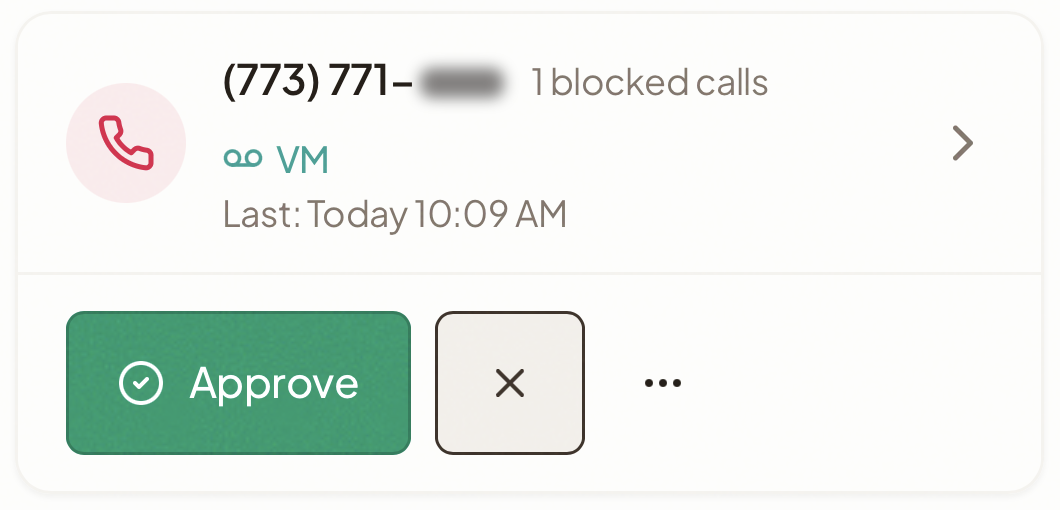
Anyone not on the approved list reaches a voicemail your family reviews from the dashboard. Approve a caller once and they ring through from then on. Your loved one's phone doesn't ring.
A scammer reached a senior member of our family in May 2025. Over several calls he walked her through withdrawing $17,000 in cash, including what to tell the bank when they asked about a withdrawal that size, and then how to feed it into a bitcoin ATM. None of it came back. We still don't know whether it started with a text or a phone call. She has memory loss. For the next year we kept her safe with Apple's Assistive Access, which worked, but it replaced her phone with a stripped-down screen she didn't recognize. I built Caring Owls so she could have her normal iPhone back and our family decides who reaches her, from our own phones. It has protected her since July 2026.
— Tom Vivaldelli, founder, Caring Owls
From mid-September to mid-November, Caring Owls stopped 24 calls from unknown numbers before they reached a senior member of our family. None rang her phone. In the same weeks, 76 calls from family and friends rang through normally.
Caring Owls is live on the App Store.
Includes the app, the family dashboard, and real people helping you set it up. Built so they keep a sense of normalcy and independence.
Texts are handled by your iPhone's built-in Filter Unknown Senders. Family review of texts requires Full Protection.
Card on file, first 30 days free, then $49/month. Cancel in the first 30 days and you pay nothing. If we can't get it working on their phone, you pay nothing.
Start free for 30 daysFull Protection adds text filtering. $59/month plus a one-time $249 setup.
Moving a number to Caring Owls means iMessage no longer works on that number — texts arrive in the Caring Owls app instead. FaceTime keeps working. A second line handles data and 911.
Ask about text protectionNot sure it fits? Call or text Tom at (224) 325-5865, or request a call and tell us about your situation.
Protection that works in the background so your loved one doesn't have to think about it.
Only approved numbers ring through. Unknown callers are sent to voicemail, which family can review and approve. Calls placed from the Caring Owls app go only to approved contacts, or are logged for your review. You pick which in the dashboard. On Quick Start, their regular Phone app keeps working too.
Scam texts don't reach your loved one's phone. Approved contacts can message normally. Unknown texts are held for family review.
Manage approved contacts, review blocked attempts, and monitor activity from any browser. Multiple family members can share access.
Calling and texting work the way they always have. No locked-down senior phone, no new interface to learn. The built-in Phone app can't be removed from an iPhone, so on Full Protection we move it out of the way and make Caring Owls the app they reach for.
Get notified when unknown numbers attempt contact, when they call an unknown number from the Caring Owls app, or when voicemails need review.
Emergency calling always works. A dedicated 911 button connects directly through the native cellular network for maximum reliability.
You're already doing so much. Caring Owls gives you one less thing to worry about.
Add or remove approved contacts from anywhere. No need to physically handle your loved one's phone.
A doctor's office or pharmacy calls from a number you haven't approved? It goes to voicemail. You listen, approve them once, and they ring through next time. You can also hear voicemails from approved callers, so nothing important slips by. Don't approve banks or other financial institutions: caller ID can be faked, so let those calls go to voicemail and call back on the number printed on the card.
Invite siblings, spouses, or other caregivers to the dashboard. Everyone stays informed, everyone can help manage.
Most families who've been through this say no — it's her last link to the outside world. The answer is usually to limit who can reach her and who she can reach, without taking the phone. That's what Caring Owls does, and you manage it from your own phone.
You can, and for some families that's enough. What you can't do from her Settings is see who tried to call, approve a new caller from your own phone, or review a voicemail before deciding. Caring Owls is that layer. We wrote a free guide on setting this up and what it misses: read the guide.
An AI screener has to decide in a few seconds whether a stranger sounds legitimate, and 'I'm calling from her doctor's office' sounds legitimate. Caring Owls doesn't guess. A caller your family hasn't approved goes to voicemail, someone in the family decides, and nobody becomes trusted because of what they said on the phone.
Not yet. Caring Owls runs on iPhone. The caregiver dashboard works in any browser.
Her iPhone needs iOS 18 or later. That covers the iPhone XR, XS, 11 and newer, and the iPhone SE from 2020 on. Quick Start uses your carrier's call forwarding, which Verizon, AT&T, T-Mobile and most other carriers include. It is running today on Verizon. If she's on another carrier, call or text us first and we'll confirm it works.
On Quick Start, she keeps her number and her phone. Calls from people you've approved arrive like any normal call, with their name on screen. She'll have a new app on her phone that she rarely needs to open.
Almost nothing. Setup takes about 30 minutes, once, with someone beside her and her phone. After that she answers calls the way she always has, and people you've approved show up with their name on screen. When someone you've approved leaves a voicemail, her phone shows an alert and the message plays in the Caring Owls app. It also appears in your dashboard, so you hear it too. She doesn't need a password, and she rarely needs to open the app for anything else.
Someone needs to be with her and her phone for about 30 minutes, once. That can be you on a visit, a sibling, a neighbor, or a care manager. We walk that person through setup by phone or video call. After that, you manage everything from your own phone, wherever you live.
No. From mid-September to mid-November, one family using Caring Owls had 24 calls from unknown numbers, about three a week. In that time they had one voicemail to review. Most unknown callers hang up without leaving a message, and nobody has to do anything about those. When a real caller does leave one, like a doctor's office calling from a new line, you listen, approve them once, and they ring through from then on.
No. Her phone pairs with a one-time code from your dashboard. Your email and password never go on her device, and we can revoke the pairing for you if the phone is lost.
Quick Start turns off with one dial code, and she's back to exactly how things were. Full Protection involves moving her number, which is reversible but takes time.
Full Protection filters texts and lets your family review unknown senders. Quick Start relies on the iPhone's built-in Filter Unknown Senders, which hides stranger texts but doesn't show them to you.
On Quick Start, yes. Her regular Phone app works the way it always has, so she can still call out on her own. What Caring Owls holds is incoming calls from numbers your family hasn't approved. If she tends to call strangers back, we set up Apple's Screen Time limits with you during setup. On Full Protection, the Phone app is moved out of sight and Caring Owls becomes the app she reaches for. If you need a fully locked-down phone, we'll tell you honestly that we're not the right fit.
If you work with families whose parent is getting scam calls on an iPhone, we'll set up one client with you, on a visit or a video call, and give you our family guide as a handout. The first 60 days are free with a card on file, then $49/month, cancel anytime. Call or text Tom at (224) 325-5865, or email [email protected] with "pilot" in the subject line.
Start with Quick Start: first 30 days free, cancel anytime. We call within one business day to schedule setup. Not sure it fits? Call or text Tom at (224) 325-5865, or request a call.
Start free for 30 days Request a call